
Dental inventory management is how a dental office knows what supplies it has, where they are, when they expire, and when to reorder, so the team never runs out mid-procedure and never overbuys. It covers everything from gloves and composites to implant components, sterilization supplies and lab cases.
Every practice manages inventory somehow. The question is how much it costs in staff time, emergency orders and expired products, and whether anyone actually trusts the numbers. This guide explains what good dental inventory management looks like, why manual methods keep failing, and how RFID-based software like DTrackAll makes it routine.
On this page: Why it matters · What you need to know · Why manual methods break down · Methods compared · What good looks like · Getting started · DSOs · What to measure · Choosing software · FAQ
Why dental inventory management matters
Supplies are one of the few large costs a practice controls week by week. When inventory isn't under control, money and time leak out in predictable ways:
- Stockouts: a missing item mid-procedure means a delayed patient, a rescheduled appointment, or an expensive rush order.
- Expired products: supplies pushed to the back of a shelf until they can no longer be used.
- Overstock: cash sitting on shelves in months of supplies bought "just in case", because nobody trusts the counts.
- Duplicate and rush orders: two people notice the same empty bin and both order, or an item runs out and is bought at a higher price with fast shipping.
- Staff time: manual counts take hours of clinical and front-office time every week that could go to patients.
- Recalls: when a product is recalled, you need to know within minutes whether you have it, where, and which lots.
What you need to know about every supply
To manage inventory well, you need current answers to the same questions for every product: what it is, how many you have, where it is, when it expires (and which lot), the level at which to reorder, which products can stand in for it, and what you've been using.
That is a lot of information for hundreds of products spread across a storage room, operatories, sterilization and the lab. And it changes every day. The real challenge isn't knowing what to track; it's keeping it accurate without spending hours on it.
Why manual inventory methods break down
Most offices start with a clipboard, a spreadsheet or the order history in their supplier's portal. They all share the same weaknesses:
- Counts take hours, so they happen rarely. Between counts, the numbers drift and the team goes back to reordering by feel.
- Counts are incomplete. Items in the back of a drawer, in an operatory or in overflow storage get missed or counted twice.
- Expiration dates live on boxes, not in a system, so nobody sees what's about to expire until it already has.
- Orders are built from memory. Someone walks the shelves, guesses what's low and places an order, often duplicating what a colleague ordered yesterday.
- Substitutes confuse everything. When a backordered product is replaced by an equivalent, the spreadsheet treats it as something unrelated and the office reorders supplies it already has.
- It depends on one person. When the person who "knows where everything is" is out, inventory stops.
- Supplier portals show what you bought, not what's on your shelf.
Barcode scanning speeds up data entry, but someone still has to find, handle and scan every item one at a time, so a full count still takes hours. Read more in RFID vs barcode for dental inventory.
Dental inventory methods compared
| Clipboard or spreadsheet | Barcode scanning | DTrackAll (RFID) | |
|---|---|---|---|
| Full office count | Hours | Hours: every item scanned one by one | Minutes: walk the office with the handheld |
| Accuracy | Depends on who counts | Skipped and double scans are common | Every tagged item in range is read |
| How often you can count | Monthly or less | Monthly or less | As often as you like |
| Low-stock alerts | None | Depends on the software | Real-time, at the levels you set |
| Expiration and lot tracking | Manual, if at all | Manual entry | Tracked by lot, flagged before it expires |
| Approved substitutes | Not tracked | Usually not tracked | Counted toward your stock |
| Reordering | From memory | Manual | Ready order, approved in one click |
| Lab cases | Separate notebook | Separate system | In the same system |
| Multiple locations | Separate files | Varies | One view across every office |
What good dental inventory management looks like
When inventory is under control, a practice has:
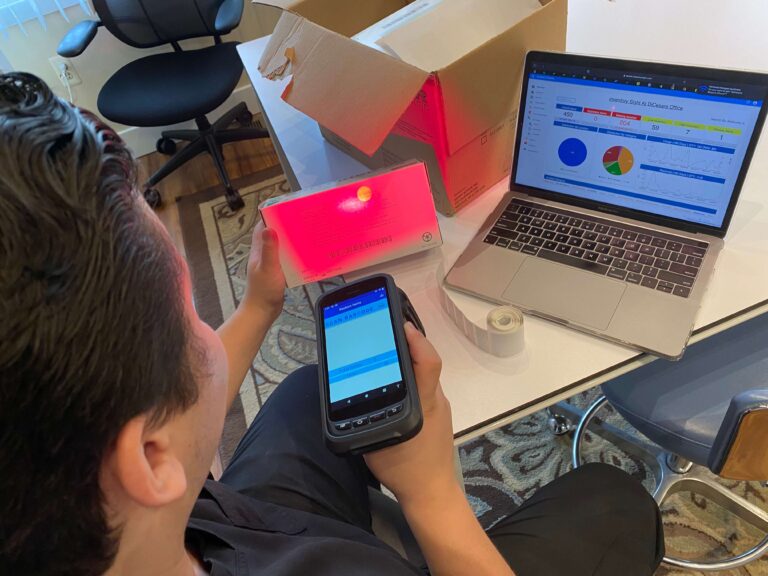
- Accurate counts in minutes, as often as needed. With DTrackAll, a team member walks the office with an ergonomic RFID handheld and every tagged supply in range is read: no clipboards, no scanning barcodes one by one. It works with your existing shelves, drawers and cabinets, with no lockers or special storage.
- Alerts instead of surprises. DTrackAll alerts you the moment a product drops below the level you set for that item and location, and flags products before they expire.
- Par levels that actually work. Par levels and reorder points only work when the on-hand number is current. Because DTrackAll counts in minutes, it compares real stock against your levels every time.
- Expiration and lot tracking. DTrackAll tracks expirations by lot, so you can rotate stock before it goes to waste and find recalled lots quickly.
- Substitutes handled properly. Link approved alternates to each product and DTrackAll counts them toward your stock, so you don't reorder what you already have. When an item is backordered, it shows the alternates your clinical team approved.
- Ordering without guesswork. After each count, DTrackAll builds the reorder list, grouped by supplier, with items below their minimum highlighted. Review it, adjust if you like, and approve it with one click.
- Lab cases tracked alongside supplies, with the patient, lab, due date and status, and an alert before a case runs late.
- Reports that show where the money goes: usage trends, overstock, dormant products and spend, updated as items are counted.
Getting started with DTrackAll
Moving from a clipboard to DTrackAll follows a simple path:
- Decide what to track first. Most offices start with high-use and high-value supplies, then add the rest.
- Tag supplies as you put them away. Each item gets an RFID tag, and new deliveries are tagged as they're stocked.
- Do the first full count by walking the office with the handheld. That count becomes your baseline.
- Set the levels for each product and location, and link approved substitutes.
- Count regularly and order from the results. Because a full count takes minutes, counting often becomes routine, and every count feeds the reorder list.
Book a demo and we'll walk you through it with your own supplies.
Inventory across multiple locations and DSOs
Groups and DSOs face the same problems multiplied by every office: different products, different habits, and no reliable way to see what each location has. What works:
- One view across every office, with stock levels and orders for each location. DTrackAll shows every location in one place.
- Levels set per location, because a busy surgical office and a small hygiene-focused office use very different amounts.
- A standard product list with approved substitutes, so offices can buy in volume and compare usage like for like.
- Consistent counts everywhere. When every office counts the same way in minutes, the numbers mean the same thing across the group, and you can move stock between offices instead of buying more.
What to measure
A few numbers tell you whether inventory is under control, and all of them depend on accurate counts:
- Supply cost as a percentage of collections. A commonly cited target for general practices is roughly 5–7%, with specialty practices often higher (Bulletproof Dental Practice, Method). See our guide to measuring and reducing dental supply costs.
- Stockouts per month: how often an item ran out when it was needed.
- Expired write-offs: the value of products thrown away.
- Overstock and dormant products: cash tied up in supplies nobody is using.
- Staff time spent on inventory. One DTrackAll client reports saving 4–6 hours of staff time per week.
How to choose dental inventory management software
Ask every vendor:
- How long does a full office count take? This decides how often your team will actually count.
- Do I have to scan items one by one? If so, counts will still take hours.
- Does it need special cabinets or lockers, or does it work with the storage I already have?
- Does it alert me to low stock and upcoming expirations, and flag overstock and dormant products?
- Does it track lots, so I can act quickly on a recall?
- Does it understand approved substitutes?
- Does it build the reorder for me?
- Does it track lab cases as well as supplies?
- Can I see every location in one place?
DTrackAll answers yes to each of these, and a full office count takes minutes. Book a demo to see it with your own supplies.
Frequently asked questions
What is dental inventory management?
Dental inventory management is the process of tracking the supplies a dental office uses: what is in stock, where it is stored, when it expires, and when to reorder. Done well, it prevents stockouts, reduces waste from expired products and overstock, and controls supply costs. Software such as DTrackAll uses RFID to count an entire office in minutes and turn each count into alerts and a ready-to-approve order.
How often should a dental office do inventory?
As often as the numbers need to be right, which for busy offices means weekly or more. With manual counts that is rarely realistic because each count takes hours, so most offices count monthly or less and the numbers drift in between. With RFID, a full count takes minutes, so frequent counts become routine.
What percentage of collections should dental supplies be?
A commonly cited target for general dental practices is roughly 5–7% of collections for dental supplies, with specialty practices such as oral surgery and implant-focused offices often higher. Accurate, frequent counts are what make it possible to find and fix overspending.
What is the best way to track dental supplies?
RFID is the fastest and most complete way to track dental supplies: a handheld reader counts every tagged item in range at once, without scanning items one by one or moving them. DTrackAll combines RFID counting with low-stock and expiration alerts, substitute tracking, lab case management and one-click reordering.
Is RFID worth it for a dental office?
For most practices, yes. RFID turns a count that takes hours into one that takes minutes, so stock levels stay accurate, expirations are caught early, and orders are built from real numbers instead of guesses. One DTrackAll client reports saving 4–6 hours of staff time per week.
How do DSOs manage inventory across locations?
The most effective DSOs use one system that shows stock levels and orders for every office in one place, with levels set per location and a standard product list with approved substitutes. DTrackAll gives groups and DSOs that single view, with every office counting the same way in minutes.